
Small, portable, and easy to use, memory sticks have become a common way to carry files between devices. But before trusting them with important data, many people wonder what are the disadvantages of a memory stick and whether the risks are worth it.
In short, memory sticks can fail without warning, wear out over time, and expose data if lost. They work best for temporary storage, not permanent backup. Keep reading to understand their limits and make smarter storage choices.
What Are the Disadvantages of a Memory Stick?
Memory sticks, also known as USB flash drives, are popular for their portability and ease of use. They allow quick file transfers without requiring an internet connection, which makes them convenient for everyday tasks. However, like any storage device, they come with certain limitations that users should understand before relying on them for important data.
The main disadvantages of a memory stick include limited lifespan due to write cycles, potential data corruption, physical vulnerability, security concerns, comparatively slower speeds than modern SSDs, and reduced suitability for long-term backup. These drawbacks do not make memory sticks ineffective, but they do highlight where they work best and where alternative solutions may be more appropriate.
Limited Lifespan Due to Write Cycles
Memory sticks use NAND flash memory, which has a finite number of write and erase cycles. Every time you save, delete, or overwrite data, microscopic wear occurs.
Over time:
- Cells degrade
- Performance slows down
- The device may fail unexpectedly
Unlike cloud storage or enterprise SSDs, consumer-grade USB drives typically lack advanced wear-leveling systems.
Risk of Sudden Data Corruption
One of the most common issues with memory sticks is file corruption. This can happen when:
- The device is removed without safe ejection
- There is a sudden power outage
- The file system becomes damaged
- Malware infects the device
When corruption occurs, entire folders may become unreadable without warning.
Easy to Lose or Misplace
Their small size is convenient, but it’s also a major risk. Memory sticks are:
- Easy to forget on public computers
- Difficult to track
- Prone to theft
If sensitive information is stored without encryption, physical loss could expose private files. Some specialized products, including devices like ThePhotoStick, are designed with user-friendly backup features to simplify storage, but physical portability still requires careful handling.
Physical Damage Vulnerability
Memory sticks are exposed to physical stress. Common damage includes:
- Bent USB connectors
- Water exposure
- Static electricity
- Cracked plastic casing
Even a minor connector misalignment can render the device unreadable.
Security Risks and Malware Spread
USB drives are known vectors for malware transmission. When plugged into an infected computer, malicious software can transfer automatically.
Additionally:
- Many users do not encrypt their drives
- There is no built-in authentication on basic models
- Lost drives can expose private documents
Slower Speeds Compared to Modern Storage
While USB 3.0 and 3.1 improved performance, memory sticks still lag behind external SSDs in:
- Read/write speeds
- Large file transfers
- Sustained performance
For 4K videos or large project files, the speed difference becomes noticeable.
Not Ideal for Long-Term Storage
Memory sticks are not designed as archival storage devices. Data can degrade if the device sits unused for extended periods. For critical backups, relying solely on a memory stick increases risk.
Even with these limitations, a memory stick is still a smart choice for quick, offline transfers and extra copies of important files. Used alongside backups, it stays simple, portable, and dependable for everyday storage.
Why Memory Sticks Became So Popular in the First Place?
Before diving deeper into the downsides, it helps to understand why memory sticks became so widely used. When USB flash drives replaced floppy disks and CDs, they felt like a major upgrade because they were small, lightweight, and simple to use.
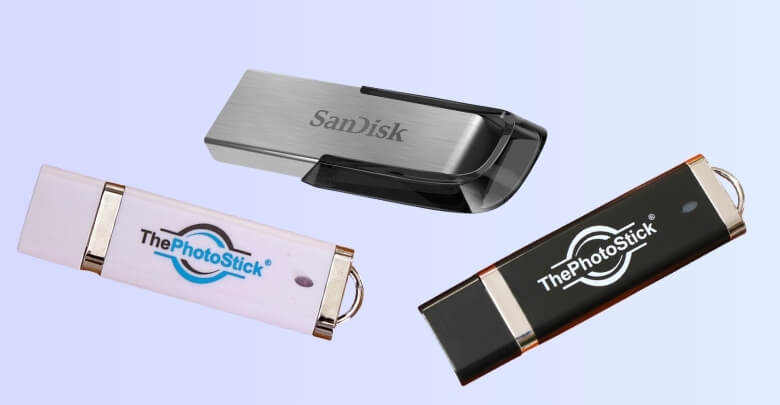
They became popular fast because they offered:
- Pocket-friendly portability
- Plug-and-play convenience on most devices with a USB port
- Reusable storage (add, delete, and update files anytime)
- Faster transfers than burning CDs or DVDs
- Affordable pricing for everyday users
- Offline sharing without needing internet or cloud accounts
For students, office workers, and home users, a memory stick made it easy to move assignments, presentations, photos, and documents between computers. Since they have no moving parts, they were also quieter and more resistant to minor knocks than traditional hard drives.
Over time, capacities grew from megabytes to hundreds of gigabytes, making them even more practical. However, as storage needs expanded and security expectations increased, the limitations of memory sticks became easier to notice.
Can a Memory Stick Fail Without Warning?
Yes, a memory stick can fail without warning, and this unpredictability is one of its most important limitations.
Unlike traditional hard disk drives that may show early signs of failure (such as unusual noises or noticeable slowdowns), USB flash drives often stop working suddenly. Because they rely on NAND flash memory and a small internal controller, failure can occur silently and without visible symptoms beforehand.
The Reasons for Memory Sticks Failing Unexpectedly
Several technical and practical factors contribute to sudden failure:
- Controller Chip Malfunction: The internal controller manages data storage and retrieval. If it fails, the drive may become unreadable instantly.
- Wear-out of Memory Cells: Flash memory has limited write and erase cycles. Once cells degrade, stored data may become inaccessible.
- Electrical Surge Damage: Power fluctuations during insertion or removal can damage internal components.
- Excessive Write Cycles: Frequent overwriting accelerates wear, especially on lower-quality drives.
- File System Corruption: Improper ejection or interrupted transfers can damage the drive’s structure.
- Environmental Exposure: Heat, moisture, and static electricity can gradually weaken internal circuitry.
Because memory sticks are compact and lack advanced monitoring systems, they typically do not provide warning alerts before failure.
The Backup Reliability Concern
Due to this unpredictability, many professionals question the reliability of Flash Drives for Backup purposes. While memory sticks are excellent for temporary storage and quick file transfers, they are not designed to function as sole long-term backup devices.
Unlike cloud storage services that maintain multiple redundant copies of data, or external SSDs with more advanced error management systems, a memory stick represents a single point of failure. If it is lost, damaged, or internally corrupted, your data may be permanently affected.
After the Memory Stick Fails
When a memory stick stops working, common symptoms include:
- The device is not being recognized by the computer
- Error messages requesting formatting
- Missing or unreadable files
- Sluggish performance before complete failure
In some cases, professional data recovery services can retrieve files, but the process can be costly, and success is not guaranteed.
Reduce the Risk of Sudden Failure
While failure cannot be completely eliminated, you can reduce risk by:
- Safely ejecting the drive before removal
- Avoiding constant rewriting of large files
- Keeping the device away from extreme temperatures
- Maintaining duplicate backups on other storage platforms
- Replacing older drives after several years of use
A memory stick can fail without warning because of flash memory wear, controller issues, or external factors. This does not make it unusable, but it does mean it should not be your only storage solution. For important files, combining a memory stick with cloud or secondary backups offers far greater security and peace of mind.
How Do Memory Sticks Compare to Cloud and External SSDs?
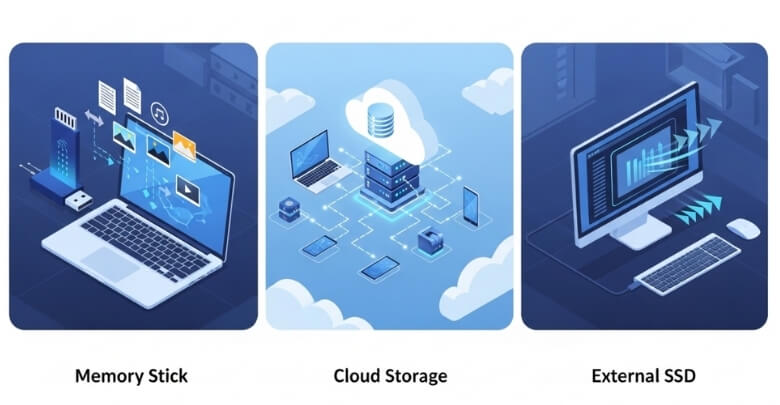
To compare storage options quickly, look at speed, security, access, and backup reliability. Memory sticks work well for simple transfers, while cloud storage adds remote access and redundancy, and external SSDs deliver the fastest performance for large files and long-term use.
1. Speed Comparison
- Memory Stick (USB 2.0): Slow
- Memory Stick (USB 3.0): Moderate
- External SSD: Extremely fast
- Cloud Storage: Depends on internet speed
For large multimedia projects, SSDs outperform USB drives significantly.
2. Security Differences
Memory Stick:
- No default encryption
- Easy to lose
- Physical access = full access
Cloud Storage:
- Two-factor authentication
- Encrypted data transmission
- Remote wipe options
External SSD:
- Can include hardware encryption
- Less likely to be casually misplaced
3. Backup Reliability
Memory sticks are portable, but they lack redundancy.
Cloud platforms:
- Store multiple copies across servers
- Offer automatic syncing
- Reduce risk of single-point failure
For users storing family photos or personal media collections, many now prefer permanent photo storage solutions that combine cloud redundancy with external backups instead of relying solely on a USB drive.
4. Scalability
Memory sticks:
- Fixed capacity
- Must purchase a new device to upgrade
Cloud:
- Easily upgradeable storage plans
External SSD:
- Higher capacity options available
Over time, memory sticks may become cost-inefficient for growing storage needs.
Situations Where a Memory Stick May Not Be the Right Choice
Memory sticks work well for quick, temporary transfers, but they aren’t ideal for every storage need. Here are common scenarios where another option is usually safer or more practical:
- Long-Term Data Archiving: If you need to store files for years, flash drives can be risky due to aging, degradation, or unexpected failure.
- Mission-Critical, Single-Copy Storage: If the USB drive is your only copy of important documents, it creates a single point of failure.
- Storing Sensitive Business Documents: Without encryption and access controls, confidential information is vulnerable if the drive is lost or borrowed.
- Large Media Files: 4K videos and big project folders can transfer slowly and fill up the limited capacity quickly.
- Working Directly From the Drive: Editing files directly on a USB stick (especially large ones) can increase wear and raise the risk of corruption if removed improperly.
- Collaborative Work Environments: Memory sticks don’t support real-time sharing, version history, or remote access like cloud tools do.
- Automated Backups: USB storage usually requires manual copying unless you set up additional software.
- Public or Shared Computers: Plugging into unknown devices can increase the risk of malware exposure and file contamination.
In these situations, cloud storage, external SSDs, or multi-copy backup strategies typically offer better reliability, security, and convenience.
Practical Ways to Reduce the Risks of Using a Memory Stick
Using a memory stick wisely can significantly lower the chances of data loss, corruption, or security issues. Follow these practical safety steps to improve reliability, and continue to the next section for deeper storage comparisons.
Always Eject the Drive Properly
Before unplugging your memory stick, use the Safely Remove or Eject option on your device. This ensures all data transfers are complete and prevents file system corruption caused by interrupted write processes or background activity.
Keep Multiple Backups of Important Files
Never rely on a single USB drive as your only storage location. Follow the 3 2 1 backup rule by keeping three copies of data on two different storage types, with one stored offsite for extra protection.
Encrypt Sensitive or Confidential Data
If your memory stick contains financial documents, personal photos, or business records, enable encryption. Password protection or encryption software helps prevent unauthorized access if the device is lost or stolen.
Avoid Frequent Rewriting of Large Files
Flash memory cells wear out over time with repeated write and erase cycles. Use your memory stick mainly for transferring or storing copies instead of constantly editing large files directly from the drive.
Replace Older Drives Before Failure
If your memory stick shows signs of slowing down, disconnecting randomly, or producing file errors, replace it early. Proactive replacement reduces the risk of sudden failure and protects valuable stored data.
Scan for Malware Regularly
When using your memory stick on shared or public computers, always scan it with updated antivirus software. This helps prevent malware transfer and protects both your device and your stored files.
Memory sticks remain useful tools when used carefully and strategically. By combining safe handling, regular backups, and proper security measures, you can maximize convenience while minimizing risks in everyday digital storage.
Frequently Asked Questions
Understanding storage risks helps users make smarter digital decisions. Below are common questions people search related to memory sticks, answered clearly to improve clarity, usability, and long-term data protection awareness.
How Long Does A Memory Stick Usually Last?
Most memory sticks last several years under normal use. Lifespan depends on write cycles, usage frequency, storage conditions, and device quality. Light file transfers may allow longer usability, while heavy rewriting can shorten lifespan significantly.
Can A Memory Stick Lose Data If Not Used?
Yes, over very long periods, unused flash memory can experience gradual data degradation. Environmental factors like heat and humidity can also affect stored data. Periodic checks help ensure your files remain accessible.
Is It Safe To Leave A Memory Stick Plugged In All The Time?
Leaving it plugged in increases exposure to power surges, overheating, and accidental damage. It is safer to remove it when not actively transferring files to reduce wear and risk.
What Happens If I Remove A Memory Stick Without Ejecting It?
Removing it without safely ejecting may interrupt background processes. This can cause file corruption or incomplete data transfers, especially during active read or write operations.
Do Memory Sticks Slow Down Over Time?
Yes, performance may decline after extensive use due to flash memory wear. Slower transfer speeds or longer file access times can indicate aging storage cells.
Are Expensive Memory Sticks More Reliable?
Higher-quality brands often use better controllers and memory chips, which may improve durability and speed. However, no memory stick is completely immune to wear or unexpected failure.
Can Memory Sticks Be Repaired If Damaged?
Physical damage is usually difficult to repair. In some cases, professional data recovery services may retrieve files, but success is not guaranteed and can be costly.
Conclusion
When asking what are the disadvantages of a memory stick, the answer comes down to lifespan limits, possible data corruption, physical vulnerability, and security risks. These devices are convenient, but they are not designed to be your only storage solution.
Used wisely, a memory stick remains useful for quick transfers and extra copies. Pair it with cloud storage or another backup method to reduce risk and protect your important files with confidence.