
Digital memories are priceless. From family photos to financial records, losing data can feel devastating. That is why many people wonder, are flash drives reliable for backup, especially when they seem simple, affordable, and easy to use. With so many storage options available, choosing the right one can feel overwhelming.
So, are flash drives reliable for backup? The honest answer is yes, in many everyday situations, especially for offline copies and secondary backups. However, they work best as part of a smart backup plan rather than the only protection. Keep reading to discover when they are a dependable choice and when extra layers are safer.
Are Flash Drives Reliable for Backup in Everyday Use?
The simplest answer is yes, flash drives can be reliable for backup in many practical scenarios, especially for personal files, offline storage, and secondary protection. While they may not replace enterprise-level systems, they offer strong reliability for everyday users when used correctly.
To understand this properly, we need to define what “reliable” actually means in the context of backups.
What Makes a Backup Device Reliable?
A reliable backup solution should provide:
- Safe data storage without frequent corruption
- Protection from accidental deletion
- Resistance to physical shock
- Independence from internet connectivity
- Ease of duplication
- Reasonable lifespan for intended use
When measured against these criteria, flash drives perform better than many people assume.
Where Flash Drives Prove Reliable
1. No Moving Parts = Lower Mechanical Failure Risk
Unlike traditional hard drives, flash drives contain no spinning disks or mechanical arms. This eliminates common mechanical failure points. For everyday handling, light drops, travel, and storage in a bag, flash drives are physically durable and less prone to shock damage than HDDs.
2. Offline Protection from Cyber Threats
One major advantage of flash drives is that they are typically disconnected from the system when not in use.
This provides natural protection against:
- Ransomware attacks
- Remote hacking
- Cloud service breaches
- Power surges
An unplugged flash drive is immune to online threats, something cloud-only backups cannot guarantee. For personal photo collections and family archives, this offline security adds meaningful reliability.
3. Stable for Read-Heavy, Low-Change Files
Flash memory has limited write cycles, but for many home users, backups are not rewritten constantly.
If you are storing:
- Finalized photos
- Completed documents
- Archived videos
- Important certificates
The drive is mostly used for reading, not rewriting. In such scenarios, flash drives can remain stable for years.
This is especially relevant for tools like ThePhotoStick, which are designed to locate and copy existing photos and videos for preservation rather than constant editing and rewriting.
4. Simple Backup = Fewer Human Errors
Complicated systems sometimes fail because users misconfigure them.
Flash drives offer:
- Plug-and-play simplicity
- Manual control over what is stored
- Immediate visibility of files
For non-technical users, simplicity increases reliability because fewer configuration errors occur.
Where Caution Is Needed
To maintain neutrality, it’s important to acknowledge limitations.
1. Finite Write/Erase Cycles
All flash memory has endurance limits. Frequent heavy rewriting can reduce lifespan. However, for occasional backup use, most quality drives last many years.
2. Single Device Risk
A single flash drive should not be the only copy of critical data. Like any storage device, it can fail. Redundancy improves reliability significantly.
3. Long-Term Archival Considerations
If your goal is to preserve files untouched for decades without refreshing them, periodic duplication to new media is recommended.
Situations Where Flash Drives Are Reliable for Backup
They are reliable when:
- Used as part of a layered backup strategy
- Storing personal photos and documents
- Kept offline when not in use
- Not subjected to constant rewriting
- Duplicated across more than one device
They are less suitable when:
- Used as the sole backup for mission-critical business systems
- Continuously rewritten with large files daily
- Expected to last for decades without refreshing
For most home users, especially those looking for a simple way to protect family memories, flash drives offer a practical and dependable backup option. The key is understanding their role: not as a full enterprise backup infrastructure, but as a secure, offline, user-friendly layer of protection.
How Flash Memory Technology Impacts Long-Term Data Safety?
To evaluate reliability, you first need to understand how flash drives store data. Flash drives use NAND flash memory, a type of non-volatile storage that retains data even when power is removed. Unlike traditional hard drives, they have no moving parts. This makes them compact, silent, and physically durable.

However, flash memory has limitations.
Limited Write and Erase Cycles
Each memory cell in a flash drive can only be written and erased a finite number of times. Depending on the quality of the NAND (SLC, MLC, or TLC), that limit may range from a few thousand to tens of thousands of cycles.
Once these cycles are exhausted, the cells begin to fail. Over time, this increases the possibility of flash drives going bad, sometimes without obvious warning signs.
Unlike enterprise-grade SSDs, many consumer USB drives use lower-cost NAND and simpler controllers. This means:
- Less advanced wear leveling
- Fewer bad-block management features
- Limited error correction capabilities
In practical terms, frequent rewriting of files can shorten the lifespan of a flash drive significantly.
Data Retention Over Time
Even if you never rewrite the data, flash memory is not immune to degradation.
Flash cells store data using electrical charges. Over years of inactivity, that charge can slowly dissipate. If the drive sits unused in a drawer for a long time, the stored data may become corrupted.
Manufacturers often estimate data retention at 5–10 years under ideal conditions, but factors such as heat, humidity, and manufacturing quality can reduce that time.
Controller Failure and Sudden Corruption
Another overlooked risk is controller failure. A flash drive depends on a small internal controller chip to manage memory operations. If that component fails, the entire device may become unreadable instantly.
Unlike hard drives, which sometimes show mechanical warning signs, USB drives can fail suddenly and completely.
This technical reality explains why many IT professionals hesitate to recommend flash drives for critical, long-term backups.
Short-Term Convenience vs Long-Term Reliability
Flash drives feel like the easiest backup option because they’re fast, portable, and plug-and-play. But long-term reliability depends on more than convenience. This section breaks down where USB drives excel, where they fall short, and how they compare.
Flash drives are popular for a reason. They are:
- Portable
- Affordable
- Plug-and-play
- Compatible with almost all devices
- Resistant to minor physical shocks
For transferring files between computers, sharing documents, or creating a quick offline copy, they are incredibly convenient. But convenience should not be confused with reliability.
Quick Comparison
| Factor | Short-Term Use (Days to Weeks) | Long-Term Backup (Months to Years) |
| Primary goal | Quick copy, transfer, temporary safety | Ongoing protection, preservation, recovery |
| How flash drives perform | Strong – fast, easy, and portable | Mixed – depends on usage habits and storage conditions |
| Biggest advantage | Simple, offline, no setup required | Offline storage helps, but needs extra safeguards |
| Biggest risk | Misplacing the drive | Data aging, outdated backups, and single-point failure |
| Update frequency needed | Low (often one-time copy) | High (must refresh and replace periodically) |
| Failure impact | Usually low because files exist elsewhere | High if it’s the only copy or the “main backup.” |
| Ideal file type | Temporary work files, transfers, and trip photos | Archived photos/docs only if duplicated and refreshed |
| Best practice | Keep it as a convenience tool | Treat it as one layer in a multi-copy backup plan |
Manual Backup Risk
Most people use flash drives manually. That means:
- No automated backup schedule
- No version history
- No incremental backups
- No monitoring for corruption
If you forget to update the files, your “backup” quickly becomes outdated. If you accidentally overwrite files, there is no recovery system in place.
No Built-In Redundancy
A true backup system includes redundancy, multiple copies stored in different locations. A single flash drive offers no redundancy. If it fails, is lost, or gets damaged, your data is gone.
Easy to Lose or Damage
Because flash drives are small, they are easy to misplace. They can also be damaged by:
- Static electricity
- Water exposure
- Extreme temperatures
- Physical bending
While they are sturdy compared to spinning hard drives, they are not indestructible.
For short-term or temporary storage, these risks may be acceptable. For long-term archival protection, they become more serious, which is why using flash drives as one layer in a broader backup plan is usually the safest approach.
When Using a Flash Drive for Backup Makes Sense?
Despite their limitations, flash drives are far from useless for backups. In fact, they can be a reliable and practical choice in many everyday situations, especially when you treat them as an offline layer of protection rather than your only backup.
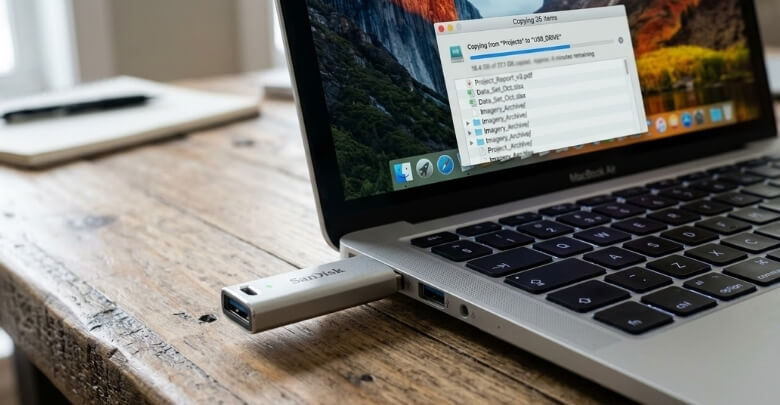
Here are the most common scenarios where using a flash drive for backup makes sense:
As a Secondary Backup Layer
If you already rely on one primary method, such as:
- Cloud storage
- An external hard drive
- Automated backup software
A flash drive becomes a smart “extra copy” for your most important files. It’s especially useful for keeping an offline version of critical documents (IDs, contracts, tax records) and selecting folders you don’t want to lose.
For Temporary Protection During Travel
When you’re traveling, carrying a small encrypted flash drive with copies of essential files can be extremely practical. It gives you quick offline access to important documents and reduces risk if your phone or laptop gets lost or damaged on the road.
For Quick Emergency Backups
If your computer starts showing signs of failure, freezing, crashing, or strange storage errors, a flash drive is one of the fastest ways to copy essential files immediately. In urgent situations, speed and simplicity matter, and a USB drive can buy you time.
For Small, Low-Change Data Sets
Flash drives work well when you’re backing up a relatively small collection of files that rarely change, such as:
- Scanned documents
- PDFs and forms
- Archived family photos
- Finished projects
Because these files don’t require constant rewriting, the drive experiences less wear, which can improve long-term stability.
For Simple Offline Photo and Video Copies
Many people want an easy way to create an offline copy of personal photos and videos without relying entirely on subscriptions or internet access. In that case, a flash drive can be a practical option, especially if you also keep a second copy elsewhere for added safety.
Quick Best Practices (So It Actually Stays Reliable)
To make flash-drive backups safer:
- Keep at least two copies (two drives, or drive + cloud)
- Spot-check a few files after copying to confirm they open
- Refresh important backups every 12–24 months
- Store the drive in a cool, dry place and label it with a date/version
However, if your goal is to store digital photos forever, relying solely on a single flash drive is not advisable. Long-term archives need redundancy, periodic refresh cycles, and ideally more than one storage medium. Flash drives work best as part of a system, not as the entire system.
Flash Drives vs External Hard Drives: Which One Protects Data Better?
To decide which protects data better, you need a direct comparison between a flash drive and an external hard drive (HDD) across reliability, lifespan, failure risks, and recovery options. This quick breakdown helps you choose the safer backup method for photos, documents, and long-term storage.
Flash Drive vs External Hard Drive (HDD)
External HDD Advantages:
- Designed for larger storage capacities
- Better suited for long-term cold storage
- More cost-effective per GB
- Often used with automated backup software
Flash Drive Advantages:
- More portable
- No moving parts
- Compact and discreet
Hard drives contain mechanical parts that can fail over time. However, they are specifically designed for bulk storage and backups. When stored properly and powered occasionally, they can last many years.
For large data sets like video libraries or photo collections, HDDs are generally more reliable than USB sticks.
Flash Drive vs SSD
SSDs also use flash memory, but they typically include:
- Advanced controllers
- Stronger error correction
- Better wear leveling
- Higher endurance ratings
In most cases, a quality external SSD is significantly more reliable than a standard USB flash drive.
Flash Drive vs Cloud Storage
Cloud storage offers:
- Geographic redundancy
- Automated backups
- Version history
- Disaster recovery options
The downside is ongoing subscription costs and reliance on internet access. For maximum reliability, cloud storage combined with local backup often provides the strongest protection.
Quick Comparison Overview
| Factor | Flash Drive | External HDD | SSD | Cloud |
| Long-Term Reliability | Moderate to Low | Moderate to High | High | Very High |
| Automation | No | Yes | Yes | Yes |
| Portability | Very High | Medium | High | N/A |
| Redundancy | None | None (single drive) | None (single drive) | Built-in |
| Cost | Low | Low per GB | Medium | Recurring |
When measured purely on reliability for backup, flash drives rarely rank as the best option.
How to Reduce the Risk If You Still Use a Flash Drive?
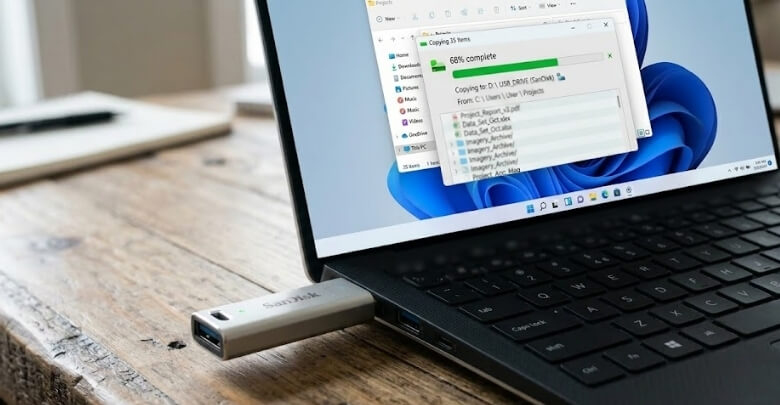
Using a flash drive for backup can be reliable when handled correctly and supported by smart habits. The key is minimizing failure risk through structured practices. Follow these proven steps and continue reading to compare safer alternatives.
Follow the 3-2-1 Backup Rule
The 3-2-1 backup rule improves data reliability significantly. Keep three total copies of your data, store them on two different storage types, and maintain one offsite copy. When your flash drive is only one layer, overall backup risk drops dramatically.
Use Multiple Flash Drives
Never depend on a single USB device for important files. Duplicate essential folders across two separate flash drives and store them in different locations. If one device fails, gets lost, or becomes corrupted, your second copy protects you from permanent loss.
Refresh Data Periodically
Flash memory stores data using electrical charge that can weaken over time. Reconnect your drive every 12 to 24 months and copy the data to a new device. This refresh process maintains integrity and reduces long-term degradation risks.
Choose Quality Brands
Not all flash drives are manufactured equally. Higher quality models often include better NAND memory, stronger controllers, and improved error correction technology. Investing in reputable brands lowers the chance of sudden failure and improves overall backup reliability.
Avoid Frequent Rewriting
Flash memory cells have limited write cycles. Constantly editing large files directly on the USB drive accelerates wear. Instead, store finalized files on the flash drive and perform edits on your computer to preserve long-term device health.
Store in Controlled Conditions
Environmental factors directly impact flash drive lifespan. Keep devices away from extreme heat, humidity, static discharge, and physical bending. Store them in protective cases inside cool, dry environments to maximize durability and data retention stability.
Flash drives can be dependable when supported by redundancy, refresh cycles, and careful handling. Risk management transforms a simple USB device into a practical backup layer within a smarter, more secure data protection strategy.
Frequently Asked Questions
Choosing the right backup method often raises practical concerns about lifespan, safety, security, and real-world use. Below are clear, direct answers to common questions people ask when evaluating flash drives for data protection and long-term storage reliability.
How Long Do Flash Drives Typically Last?
Most quality flash drives last between 5 and 10 years under normal use. Lifespan depends on write frequency, storage conditions, and manufacturing quality. Drives used mainly for reading rather than constant rewriting generally last longer.
Can a Flash Drive Fail Without Warning?
Yes, sudden failure is possible. Flash drives rely on internal controllers and memory cells that can stop working unexpectedly. However, failure risk becomes much lower when you maintain duplicate copies and refresh backups regularly.
Are Flash Drives Safe From Viruses?
Flash drives can carry malware if connected to infected computers. Scanning the drive before use and enabling antivirus protection reduces risk. Keeping a backup drive unplugged when not in use also improves security.
Is It Safe to Leave a Flash Drive Plugged in All The Time?
Leaving a flash drive constantly connected increases exposure to power surges, malware, and accidental deletion. For backup purposes, it is safer to plug it in only when needed and store it securely afterward.
Do Flash Drives Lose Data If Not Used?
Over very long periods, unused flash drives may experience gradual charge loss inside memory cells. Refreshing data every one to two years helps maintain integrity and reduces long-term degradation risk.
Can I Use a Flash Drive to Back Up My Entire Computer?
Technically, yes, but it is not ideal for full system backups. Large and frequently updated system images are better suited for external hard drives or SSDs with automated backup software.
Are Encrypted Flash Drives More Reliable?
Encryption improves data security but does not change the physical reliability of the memory itself. It protects against unauthorized access but does not prevent hardware wear or electronic failure.
Conclusion
So, are flash drives reliable for backup? They can be, especially for personal files, offline copies, and secondary protection. When used correctly and combined with other backup methods, they offer a practical and affordable layer of security.
The key is understanding their limits. Flash drives are most reliable when supported by duplication, safe storage, and periodic refresh. With a balanced strategy, they can play an important role in protecting your valuable digital data.