
Stacks of VHS tapes, fading photos, and brittle film reels carry stories you cannot replay without help. Handing them to a mail-in service takes courage, because one mistake could mean losing family history forever. Before you pack a box, it is natural to pause and wonder who deserves that level of trust.
So, can iMemories be trusted for preserving your memories? In brief, yes, it is a legitimate digitization service with many positive reviews, though pricing details and turnaround times matter. Continue reading the article to understand the facts, risks, and best practices before you decide.
Why People Ask: “Can iMemories Be Trusted?”
People are understandably cautious because iMemories requires mailing irreplaceable family media (VHS tapes, film reels, photos). Trust concerns usually fall into three areas:
- Will my original tapes and photos be returned safely?
- Will the digitized quality match what’s advertised?
- Are there hidden fees or surprise charges?
These are valid concerns for any media digitization service, and they’re the main reasons people ask “Can iMemories be trusted?” before placing an order.
Can iMemories Be Trusted?
Yes, iMemories can generally be trusted. iMemories is a legitimate U.S.-based media digitization company that has operated since 2005 and is widely reviewed across major third-party platforms. The service is commonly used to digitize VHS tapes, film reels, photos, and slides for families who want to preserve aging home media.
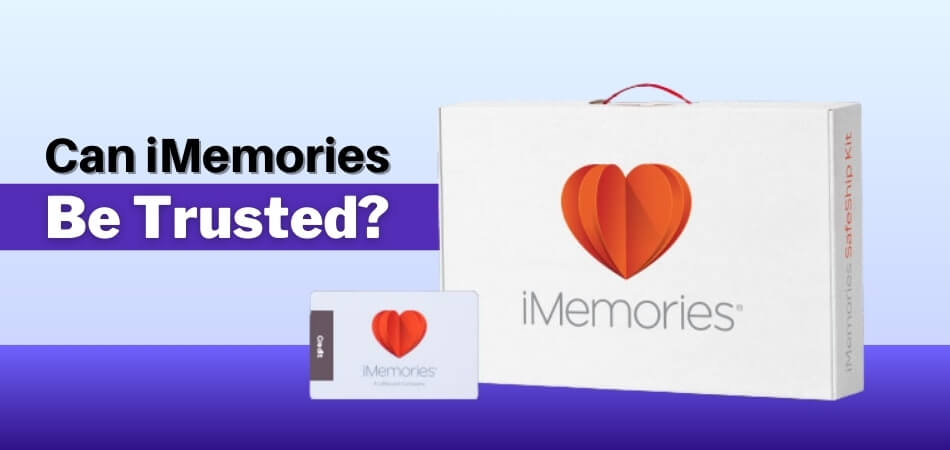
While some customers report concerns about pricing transparency, longer turnaround times during peak seasons, and optional cloud subscription fees, there is no credible evidence that iMemories is a scam. Most verified reviews describe the successful delivery of digitized files and the safe return of original items.
Why People Trust Imemories:
- Long operating history and established U.S. presence
- Large volume of public, third-party customer reviews
- Proven delivery of digitized media and return of originals
- Structured mail-in process designed for non-technical users
Where Customers Raise Concerns:
- Final pricing may differ from initial expectations if item counts or formats change
- Processing times can extend during busy periods
- Cloud access is subscription-based, which some users don’t expect
iMemories is a real, established business with a strong track record for digitizing home videos and photos. It is a suitable option for customers who want a hands-off, mail-in service and are comfortable reviewing quotes carefully and downloading their digital files for independent backup after delivery.
Is iMemories a Legitimate Company?
iMemories is a U.S.-based media digitization service that professionally converts home movies, videotapes, film reels, photos, slides, and negatives into digital formats you can view, download, stream, and share on any device. According to the official site, the company has helped over 1 million customers convert millions of memories and provides a specialty SafeShip kit with free FedEx shipping to help protect your original media during transit.
All digitization orders are processed through a single facility in Scottsdale, Arizona, where iMemories technicians handle every step of the conversion and upload your files to their cloud or app for access from phones, tablets, computers, or smart TVs.
Public review platforms also reflect a mix of customer feedback, which supports the legitimacy of iMemories, as many users praise the ease of the mail-in process, quality of conversions, and responsive customer care, while others cite issues with pricing clarity, turnaround times, or technical problems with downloads.
How Does iMemories Protect Your Memories?
iMemories uses a combination of secure shipping, controlled handling, and digital delivery safeguards to protect customer media throughout the digitization process. Since customers mail irreplaceable VHS tapes, film reels, photos, and slides, protection focuses on three areas: physical safety, process tracking, and digital access after conversion.
Physical Safety During Shipping and Processing
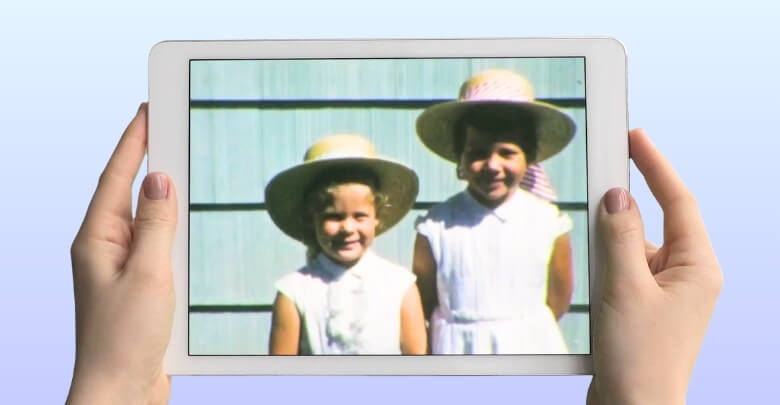
Customers receive a SafeShip kit designed to protect fragile media during transit. The kit includes protective packaging and prepaid shipping so items can be sent securely to the processing facility. Once received, each item is logged into an internal tracking system and handled in a centralized facility, which reduces the risk of misplacement compared to multi-location workflows. Original tapes and photos are returned after digitization is complete.
Controlled Handling and Chain of Custody
iMemories processes orders in a single U.S. facility, allowing consistent handling standards and quality control. Media is inventoried upon arrival, tracked through each stage of digitization, and monitored until return shipment. This centralized workflow helps minimize handling errors and provides customers with order status updates during processing.
Digital Access, Privacy, and Backup
After conversion, digitized files are made available through the iMemories app, including free features of the iMemories app that allow basic viewing and sharing, with options to download digital copies for personal backup. While the service provides convenient streaming and sharing, long-term protection ultimately depends on the customer. Best practice is to download all digital files and store them in multiple secure locations, such as an external hard drive and a separate cloud backup.
iMemories protects customer memories through secure shipping kits, centralized handling, item tracking, and digital delivery options. For maximum safety, customers should inventory their media before shipping and independently back up all digitized files after delivery.
iMemories Pricing: What You’ll Actually Pay
iMemories uses a per-item pricing model, meaning the total cost depends on the number and type of items you send for digitization. According to the current promotional pricing displayed on the offer page, videotapes and movie films are priced at $14.99 per item, while photos are priced at $0.49 per photo. These rates reflect limited-time promotional discounts and may change based on active offers.
Digitization Costs
- Videotape (VHS, Hi8, MiniDV, Betamax): $14.99 per tape
- Movie film (8mm, Super 8, 16mm): $14.99 per 50 feet
- Photos and slides: $0.49 per photo
Add-Ons and Delivery Options
In addition to base digitization, iMemories offers optional upgrades and delivery formats that affect the final price:
- SafeShip Kit: $14.99 (promotional price with free shipping)
- McKenzie AI Enhancement: $4.99 per videotape or per 50 feet of film, and $0.15 per photo (promotional pricing)
- USB Drive: Starting at $19.99 for an 8GB USB drive
- DVD or Blu-ray: $9.99 per disc
- iMemories Cloud Access: $7.99 per month or $49.99 per year
- Digital downloads: Free access to digital masters after processing
What Customers Should Watch For
The prices shown reflect current promotional discounts, often marketed as limited-time offers. Final costs depend on the total number of items you submit and any optional enhancements or physical delivery formats you choose. Customers receive a quote before processing begins, so reviewing the itemized quote carefully is essential, especially for larger collections where per-item pricing can add up quickly.
iMemories pricing is transparent on the promotional page for base services and common add-ons, but total cost scales with volume. To avoid surprises, count your items accurately, review your quote in detail, and decline optional upgrades you do not need before approving digitization.
What Real Customers Are Saying?
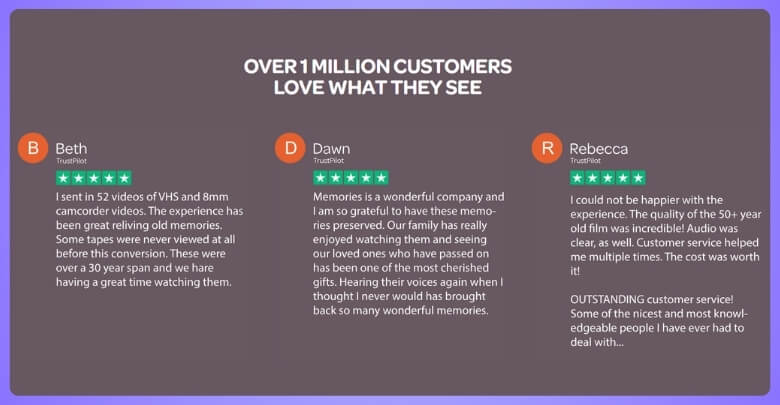
iMemories has a large volume of customer feedback across major third-party review platforms, offering a broad view of real-world experiences with the service. Reviews reflect a mix of positive outcomes and practical concerns, which is typical for mail-in digitization services that handle personal and often irreplaceable media.
What Customers Commonly Praise:
- Easy-to-use mail-in process for VHS tapes, film reels, and photos
- Emotional value of seeing old family memories restored in digital format
- Satisfactory quality for most standard home video and photo conversions
- Helpful customer support when resolving access, delivery, or formatting questions
- Convenient options for viewing and sharing digitized files
Common Complaints and Concerns:
- Final costs can be higher than initially expected if optional upgrades are selected
- Processing times may be longer during busy periods
- Quality can vary depending on the condition of the original media
- Some users find digital access and delivery options confusing at first
Overall, most customers report receiving their digitized files and original media as expected, with satisfaction closely tied to clear expectations around pricing, timelines, and the condition of the original items sent for conversion.
iMemories vs. Competitors
Choosing a media digitization service often comes down to how different providers compare on pricing clarity, turnaround time, features, and overall convenience. iMemories, Legacybox, Capture, and ScanCafe are among the most commonly compared options, and each serves slightly different needs.
| Service | Best For | Pricing Style | Turnaround | Notable Strength |
| iMemories | Mixed media orders | Per-item pricing | Moderate | App-based access |
| Legacybox | Simple starter kits | Kit-based pricing | Moderate | Easy ordering |
| Capture | Large collections | Volume pricing | Varies | Retail access |
| ScanCafe | Photo-heavy orders | Bulk discounts | Slower | Lower photo cost |
iMemories vs. Legacybox
Both iMemories and Legacybox use a mail-in kit model and are widely used for converting VHS tapes, film reels, and photos into digital formats. Some customers find Legacybox easier to understand upfront due to its packaged pricing, while others prefer iMemories for its app-based access and optional enhancement features. The better choice typically depends on whether you value simpler pricing or a more app-centric viewing experience.
iMemories vs. Capture
Capture is a long-running digitization service with a broad retail and online presence, which can make drop-off and ordering more accessible for some customers. Pricing may be more competitive for large-volume orders, and satisfaction guarantees are often highlighted. iMemories differentiates itself with a more streamlined digital delivery experience and optional enhancement tools, though processing times and total costs can vary by order size and season for both services.
iMemories vs. ScanCafe
ScanCafe is often considered for large photo-scanning projects and bulk digitization, where per-item costs can be lower at higher volumes. The trade-off is usually longer turnaround times and a workflow that may feel less hands-on. iMemories may be a better fit for customers who want a faster, end-to-end service for mixed media like VHS, film, and photos.
For families with moderate collections of home videos and mixed media, iMemories offers a convenient, all-in-one solution with app-based access to digitized files. For very large collections or photo-heavy projects, comparing quotes, turnaround times, and delivery options across multiple providers can help identify the best value.
Red Flags to Be Aware Of
While iMemories is a legitimate digitization service, informed customers should keep the following considerations in mind before placing an order.
- Final Pricing Can Vary: Because pricing is based on the number and type of items submitted, total cost may be higher than initially expected if additional items or optional services are included in the approved quote. Always review the itemized quote carefully before processing begins.
- Optional Upgrades Add to the Total Cost: Enhancement features and physical delivery options are offered as add-ons and can increase the final price, especially for larger collections. Consider whether these upgrades are necessary for your media.
- Cloud Access May Require an Active Subscription: App-based viewing and cloud storage are convenient, but long-term access may depend on a subscription. Downloading your digitized files and backing them up independently is the safest way to ensure permanent access.
- Turnaround Times Can Vary: Processing time depends on order volume and seasonal demand. Some orders are completed quickly, while larger or peak-period orders may take longer than initial estimates.
Tips for Using iMemories Safely
Sending irreplaceable memories through the mail requires planning and care, and a few smart steps can reduce risk while improving results, so follow these tips before proceeding to the next discussion.
- Create a simple inventory list of every tape, film reel, and photo set to track items accurately before packing and shipping.
- Photograph each item and its condition before shipping to document contents and provide a reference if questions arise during processing.
- Package media carefully using the provided shipping kit and follow packing instructions closely to minimize movement and potential damage in transit.
- Review the itemized price quote carefully and remove any optional upgrades you do not want before approving digitization to avoid higher final costs.
- Label your media clearly and include any special instructions for fragile items or preferred formats to support accurate handling.
- Download all digital files promptly after delivery and store backups on multiple devices or services for long-term protection.
By preparing your media carefully and managing digital backups responsibly, you can reduce risk and ensure your memories remain accessible for years to come.
Frequently Asked Questions
Still curious after reading the full review? These common questions come up once people start picturing their own tapes, films, and photos in digital form. The answers below cover practical details most customers want to know before placing an order.
How Should I Prepare Old Tapes And Films Before Shipping?
Before shipping, gently clean dust from tapes and reels using a soft, dry cloth. Do not attempt repairs or open cassettes. Place items in protective sleeves or bags, then pack them securely to prevent movement during transit.
Can I Choose How My Digital Files Are Organized?
Yes, your digital files are typically organized by item, making it easier to browse and share memories later. You can rename files after download and create folders by year, event, or family member for better long-term organization.
Will My Digitized Videos Be Easy To Share With Family?
Digitized files can be shared easily once downloaded to your device. You can send copies to family through email, cloud storage, or messaging apps. This makes it simple to keep everyone connected to shared memories.
What If My Media Is Very Old Or In Poor Condition?
Older or damaged media may not digitize perfectly due to wear, mold, or tape degradation. Some content may have visual or audio issues. Setting realistic expectations helps, and any recovered footage is often better than losing it completely.
Can I Request Specific Edits Or Trimming For My Videos?
Basic digitization usually preserves footage as is, without edits or trimming. After receiving your files, you can use simple video editing apps to cut unwanted sections, add titles, or create short highlight clips for sharing.
What Is The Best Way To Store My Digital Files Long Term?
For long term safety, store copies in at least two different locations, such as an external hard drive and a separate cloud service. This reduces the risk of loss if one device fails or becomes inaccessible.
Can I Place Multiple Orders Over Time Instead Of Sending Everything At Once?
Yes, you can split large collections into smaller batches and send them over time. This can make costs more manageable and help you review results before committing additional media to future orders.
Concluding Words
iMemories can be a solid choice for families who want a hands-off way to save VHS tapes, film reels, photos, and slides before they fade or break down. It offers a convenient mail-in process and modern digital delivery options.
So, can iMemories be trusted? For most customers, yes. The service is widely used, and many reviews describe successful digitization and safe returns, but costs and timelines can vary based on your order.
The best approach is simple: count your items, review the quote carefully, and back up your digital files right away. With clear expectations and a little preparation, you can protect your memories and enjoy them again for years.